
PC

If a new factory reset PC is used:
Enter Setup
Power on the computer and press <Del> key immediately to enter Setup.
If the message disappears before your respond but you still wish to enter Setup,
restart the system by turning it OFF then ON or pressing the "RESET" button on the
system case. You may also restart the system by simultaneously pressing <Ctrl>,
<Alt> and <Delete> keys.
Plug in ID key
Plug in USB key with start image
Reboot
The rest of the procedure
Install new resin image (dhcp or static IP?)
In a resin application, click the green "add device" button.
Click on "download ResinOS"
Extract the zip.
Flash the image on the usb drive using Etcher.
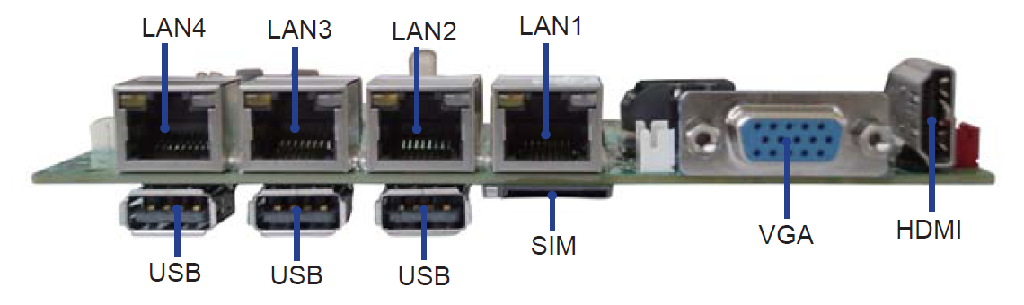
Plug in the power cable and ethernet cable in port LAN1.
Boot the device without the USB stick and go into the BIOS by holding Delete/Del.
Change the following boot settings:
These should only be temporary steps since the hardware supplier will do these later on.
SATA Controller => enabled
Chipset SATA Mode : AHCI (not IDE)
SATA Speed : Gen 2
Dual Boot Type
Quiet boot disabled
EFI Legacy device order : legacy first
Plug the USB stick in, the device will boot into resin and it will reboot, the device will appear in resin under the application.
Once you see the device in resin.io, wait till the device is completely shutdown, unplug the USB stick and boot.
Remark: Is static IP configuration defined in configuration file on the USB stick?