Q-Park PaSS Gateway ManualPaSS Gateway ManualPaSS Gateway Manual
  • Search
  • PDF
  1. Home
  2. Power-Up & Configuration
  3. Displays
  4. Configuring
  • Power-Up & Configuration
    • Acceptance Installation
    • Cabling & Connections
    • Rack
    • I/O Module
      • Configuration
      • IO connections
    • Network Access
    • PC
    • Network Switch
      • MACH-102
      • RED 25
    • UPS
      • Operations & Display Panel
      • LED Indicators
      • Control Buttons
      • Menu Structure
    • Keypad
    • Camera's Survision
    • Displays
      • Connecting
      • Configuring

Configuring

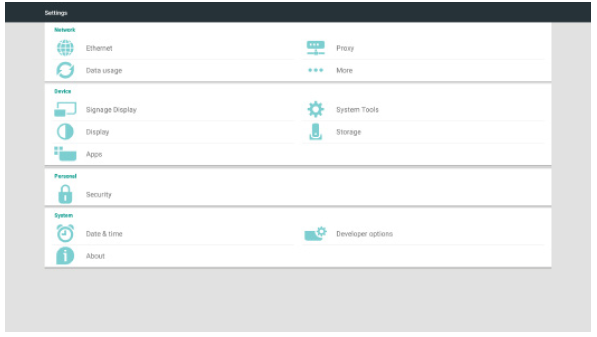
Setting

Main items:

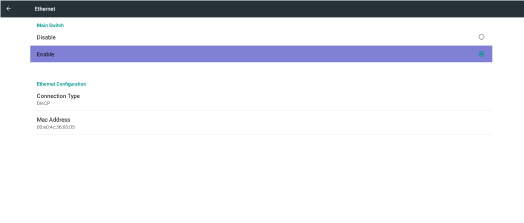
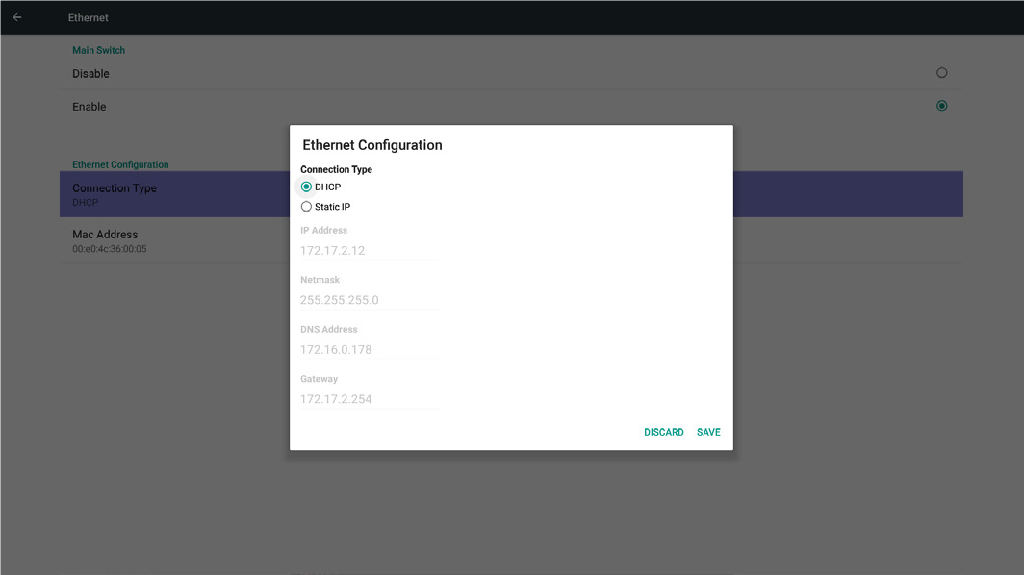
(1) Ethernet

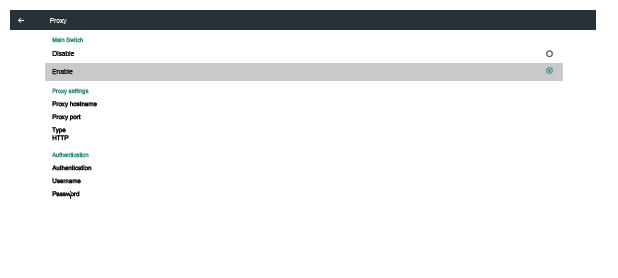
(2) Proxy

(3) Data usage (Show up when 4G module connected)

(4) More (Show up when 4G module connected)

(5) Signage Display

(6) System Tools

(7) Display

(8) Storage

(9) Apps

(10) Security (Show up when 4G module connected)

(11) Date & time

(12) Developer options

(13) About
  • Home
  • General
  • Preparation
    • Project Definition
    • Pre-installation visit & checklist
    • Network
      • Configuration Server
      • Resin
      • Azure
      • Logging
      • CCV
      • Displays
    • Cabling Diagram
  • Installation
    • UPS Installation
    • Cabling
    • Pass Gateway rack Placement
    • displays Placement
    • camera Placement
      • Distance restrictions
      • Angle restrictions
  • Connecting
    • Connecting Rack
      • To Mains Power
      • To Camera's
      • To Network
      • To Displays
    • Connection to legacy PMS & barriers
    • Connection Barriers
      • WPS
    • Loops
  • Power-Up & Configuration
    • Acceptance Installation
    • Cabling & Connections
    • Rack
    • I/O Module
      • Configuration
      • IO connections
    • Network Access
    • PC
    • Network Switch
      • MACH-102
      • RED 25
    • UPS
      • Operations & Display Panel
      • LED Indicators
      • Control Buttons
      • Menu Structure
    • Keypad
    • Camera's Survision
    • Displays
      • Connecting
      • Configuring
  • Error scenario's
Q-Park
  • Contact details
This is an interactive version of the PaSS Gateway Manual.
Bla bla bla
Maybe more bla bla bla
 
©2018 Q-Park BV, published under own management. All rights reserved.

Search

PDF

Configuring

  1. Home
  2. Power-Up & Configuration
  3. Displays
  4. Configuring
  • Add page to selection
  • Reset selection
  • Download selection (0)
  • Download this page
  • Download full report
UNKNOWN